
Developing an effective immersive training tool requires a fine balance of technology capabilities with human factors. Achieving a training goal to build squad leadership skills, squad-level communication, and mission rehearsal for an entire squadron brings together several components, including advanced body sensors that must translate physical movements, avatar actions, and high-resolution head-mounted displays (HMDs) to immerse the user in the virtual world.
In order to build effective simulators, it is important to step back from technology and first understand the human body and the training intent. Effective simulators tap key senses of the human body — sight, sound, touch, and smell. In order for simulators to be effective training tools, the simulator must convince the trainee that he or she is in the real environment, requiring the person to mimic real-life physical motion or action in the virtual location. Flight simulators, for example, put pilots into a realistic look-and-feel of a cockpit and surround the pilot with displays to replicate a life-like visual environment. Anything short of that would decrease training effectiveness.
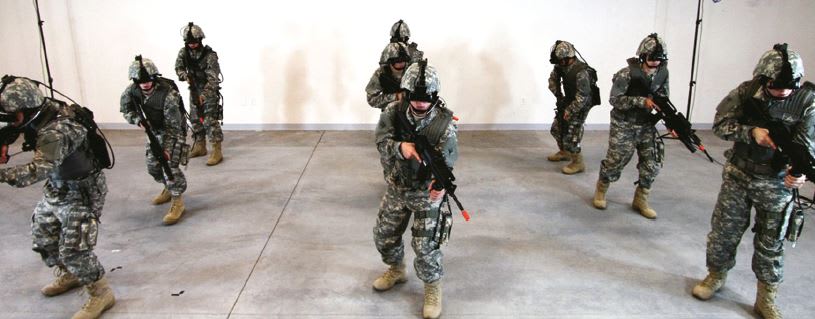
Effective simulation training for a nine-unit combat squad (see Figure 1) in the US Army poses significant challenges. How do you immerse a squad so they feel they are in a battle environment? How do you teach or reinforce key muscle memory of visual scanning, weapons movement, or replacing weapons clips while in a simulator? Putting a squadron, a keyboard, and a mouse at a computer screen may provide some visual cues, but it does not teach or reinforce muscle memory that will help soldiers in a real battle environment; clicking on a mouse button is not the same as holding, aiming, and firing a real weapon.
Display
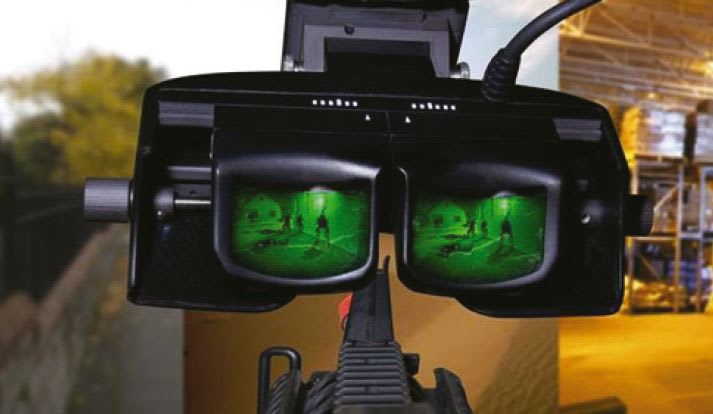
Greatly magnified pixels also exhibit other optics distortions, such as a barrel (a bulge) or a pincushion (a bend) of the image. These are normal distortions from magnifying images through optics. Going to a wider FOV increases the effects of optics deformation.
Balancing field of view, acuity, and the amount of distortion to provide the best visual experience is a combination of technology, physics, and human vision. The ExpeditionDI HMD displays a 60-degree FOV; having a greater field of view decreases acuity, therefore lessening the simulator’s effectiveness. Image pre-processing on the CPU adjusts the image to minimize optics distortions, resulting in the desired level of visual immersion.
Touch — Movement/ Motion Tracking
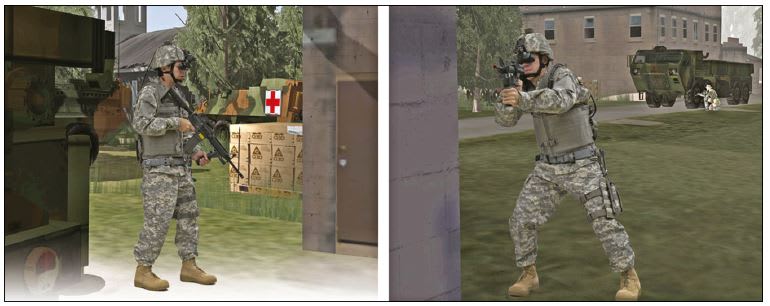
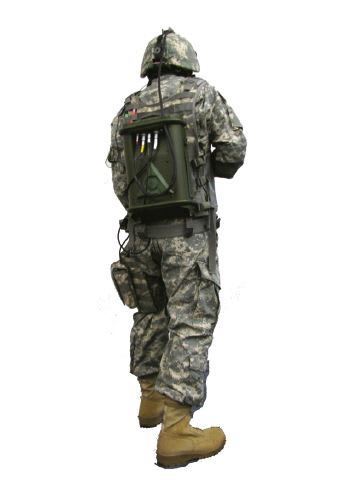
Arms, legs, body, and head position need to be accurately tracked so that body motion can translate to the movement of the soldier’s avatar in the virtual world (see Figure 3). If a head turns to the left, for example, the virtual image in the HMD should be shown moving to the left at the same rate. There are different technologies available to track the body: MEMS inertial technology motion trackers, gyro trackers, and markered and markerless motion capture systems.
Each tracker technology comes with their pros and cons. Markered or markerless motion capture systems provide accurate tracking but require setting up camera systems around the training area, making the simulation equipment less mobile. MEMS-based or gyrobased trackers do not require any room setup, but may require the trainee to wear trackers on the body. The needs and requirements for training should drive the tracker use. A mobile simulator, for example, will dictate the need and use of on-body MEMS-based or gyro-based trackers.
Regardless of the tracker used, the key performance metric that can make or break the simulation experience is the latency or delay between an action in the physical world and a reaction in the virtual world. This is influenced by the response time of the tracker, the communication (wireless, USB, or serial) method, and the CPU processing of the new data. A long latency will provide the soldier with a poor experience. If a head turns and the avatar’s head lags by half a second, for example, the simulator will not mimic real life and immediately make the simulator ineffective.
The maximum desired latency can be calculated based on the frame rate. If the visual is running at 30 Hz or 30 frames per second, a frame is drawn every 33 milliseconds. Therefore a lag of two frames between the physical action to avatar reaction would be about 66 to 80 milliseconds. Going to three or four frames or more of a lag is noticeable and will make the simulation system useless. ExpeditionDI uses a wired MEMS-based tracker for body and head tracking, and achieves a latency of about 66-80 milliseconds when running at 30 Hz.
Touch — Weapons
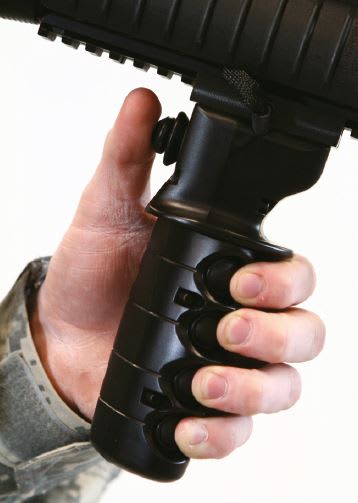
Integrating a weapon into a simulation system begins with an understanding of how a weapon is used and the key components within the weapon. When a trigger is pressed in the simulated weapon, that trigger must fire the virtual weapon in the simulation. When the safety switch is moved from off to semi, then the weapon must behave accordingly in the simulator. Bringing a weapon up to the shoulder and looking through the optics must change the avatar’s view. When the soldier runs out of ammunition, the magazine must be removed and a magazine inserted in order to reload. The weapon’s functions in ExpeditionDI, for example, are electronically instrumented to ensure the form and function of the real weapon is accurately represented in the virtual environment (see Figure 4).
System
Conclusion
An immersive, squad-level simulator is a balance of leading-edge technology and human factors. Simulators like ExpeditionDI develop better team cohesion, improve communication, build leadership skills, and provide training for specific missions. The main goal for any type of simulation and training system, however, is to give aviators, commanders, and infantry soldiers the necessary training to gain confidence and ultimately save lives.
This article was written by Pratish Shah, Vice President of Marketing and Sales, Quantum3D (San Jose, CA). For more information, Click Here